
Documentation
Connections & databases
Save workspaces, bootstrap local databases, and connect to 18 engines.
Reopen a saved workspace, or create a new one from 18 ready engines. The picker shows what each engine can do — remote connections, file databases, or a local bootstrap — before you fill in the form.
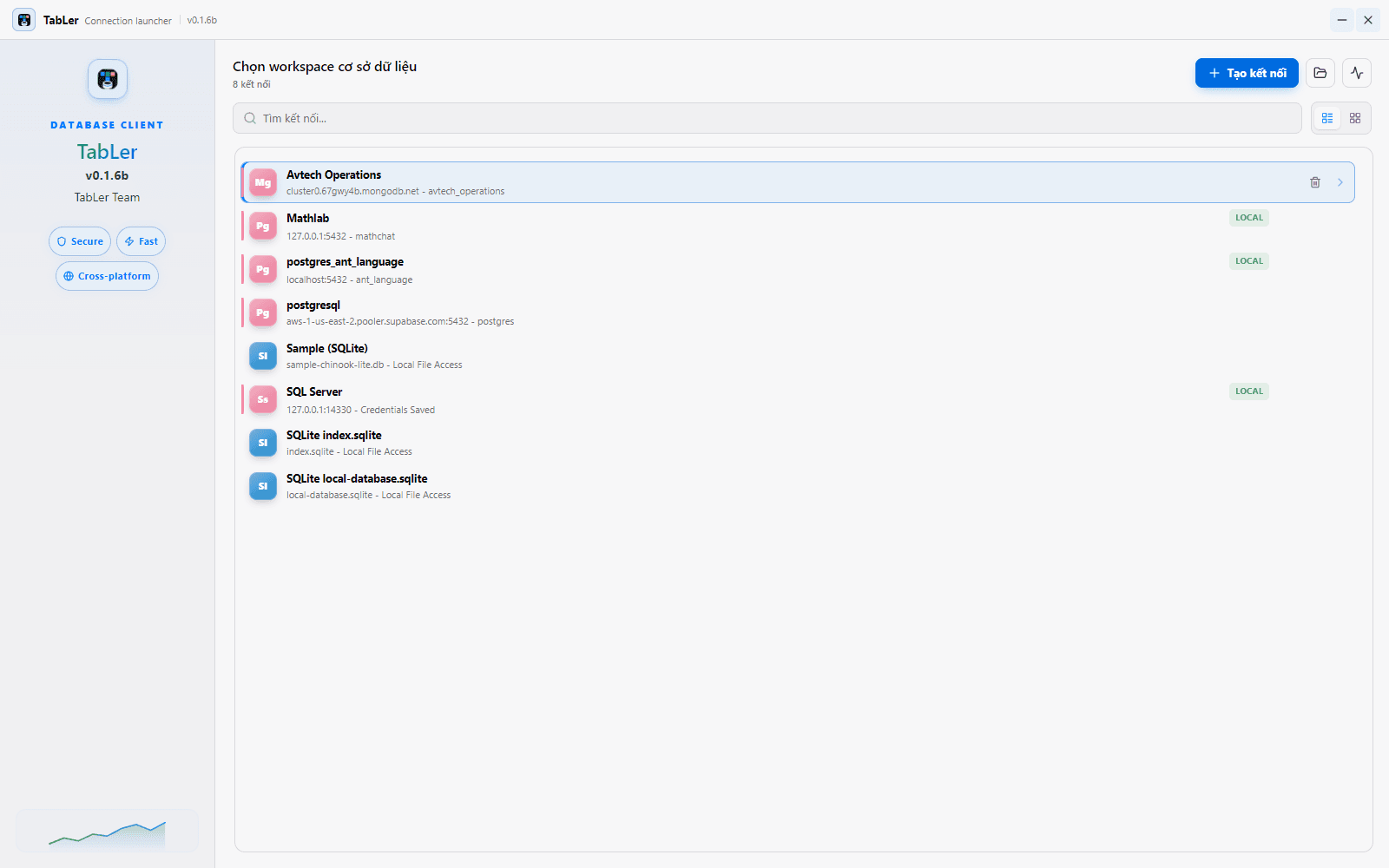
Connection secrets are stored in the operating system keyring, not in the interface or in plain configuration files.
Create a connection
- 1Choose an engine
Pick from the launcher. Each card indicates remote, file-based, or local-bootstrap support.
- 2Provide details
Fill in host, port, and credentials, use a connection string, or select a database file where supported.
- 3Save and reopen
Saved profiles appear in the launcher so you can jump back into recent work instantly.
Supported databases
TableR currently exposes connection workflows for 18 database engines.
| Category | Engines |
|---|---|
| Relational & analytical | PostgreSQL, MySQL, MariaDB, CockroachDB, Greenplum, Amazon Redshift, SQL Server, Vertica, ClickHouse, Snowflake, BigQuery |
| Embedded & file-based | SQLite, DuckDB |
| NoSQL & cloud-native | Cassandra, Redis, MongoDB, LibSQL, Cloudflare D1 |
Metadata, explain plans, schema editing, and export behavior depend on each database driver, so capabilities can differ between engines.
Local bootstrap
Local bootstrap lets TableR start a database for you with no external server. It is ready for PostgreSQL, MySQL, MariaDB, SQLite, and SQL Server (MongoDB is planned). Existing databases can also be opened through saved connection profiles, connection strings, or file selection where supported.
Connecting to each engine
These defaults match TableR's connection form. Network engines share the same core fields — Host, Port, optional SSL/TLS, and credentials (secrets are saved to the OS keyring); file engines just point at a database file. You can also paste a connection string where an engine supports it. Only the extra fields below change per engine.
PostgreSQL — in-depth guide
Connection fields, connection strings, SSL/TLS, local bootstrap, verifying the connection, and troubleshooting — on its own page.
MySQL — in-depth guide
Connection fields, connection strings, SSL/TLS, local bootstrap, verifying the connection, and troubleshooting — on its own page.
MariaDB — in-depth guide
MySQL-compatible connection fields, connection strings, SSL/TLS, local bootstrap, and troubleshooting — on its own page.
SQL Server — in-depth guide
Windows or SQL authentication, connection fields, encryption, local bootstrap, and troubleshooting — on its own page.
CockroachDB — in-depth guide
PostgreSQL-compatible connection fields, connection strings, SSL/TLS, and troubleshooting — on its own page.
Greenplum — in-depth guide
PostgreSQL-compatible analytics warehouse: connection fields, connection strings, SSL/TLS, and troubleshooting — on its own page.
Amazon Redshift — in-depth guide
PostgreSQL-compatible cloud warehouse: connection fields, connection strings, SSL/TLS, and troubleshooting — on its own page.
Vertica — in-depth guide
Columnar analytics: connection fields, SSL/TLS, verifying the connection, and troubleshooting — on its own page.
ClickHouse — in-depth guide
HTTP-interface connection fields, SSL/TLS, verifying the connection, and troubleshooting — on its own page.
Snowflake — in-depth guide
Cloud warehouse over HTTPS: account host, warehouse, role, connection fields, verifying the connection, and troubleshooting — on its own page.
BigQuery — in-depth guide
Serverless Google Cloud warehouse: service-account auth, project and dataset, verifying the connection, and troubleshooting — on its own page.
SQLite — in-depth guide
File-based database: pick or create a file, local bootstrap, verifying the connection, and troubleshooting — on its own page.
DuckDB — in-depth guide
Embedded analytics in a single file: open mode, verifying the connection, and troubleshooting — on its own page.
Cassandra — in-depth guide
CQL contact points, keyspace, optional auth and SSL/TLS, verifying the connection, and troubleshooting — on its own page.
Redis — in-depth guide
In-memory key-value store: ACL user, database index, optional TLS, verifying the connection, and troubleshooting — on its own page.
MongoDB — in-depth guide
Atlas SRV or direct hosts: connection discovery, auth source, replica set, SSL/TLS, connection strings, and troubleshooting — on its own page.
LibSQL — in-depth guide
libSQL and remote Turso databases: URL and auth token, verifying the connection, and troubleshooting — on its own page.
Cloudflare D1 — in-depth guide
Serverless SQLite via the Cloudflare API: account ID, database ID, API token, verifying the connection, and troubleshooting — on its own page.