
Documentation
AI & Agent
Prompt, Edit, and Agent modes with schema context, an autonomy dial, Safe Mode, and review-before-run safety.
TableR keeps schema context, generated SQL, query execution, and the assistant in the same view. Ask a question, generate or rewrite a statement, or hand the agent a multi-step task — and stay in control of every database write through an autonomy dial and Safe Mode.
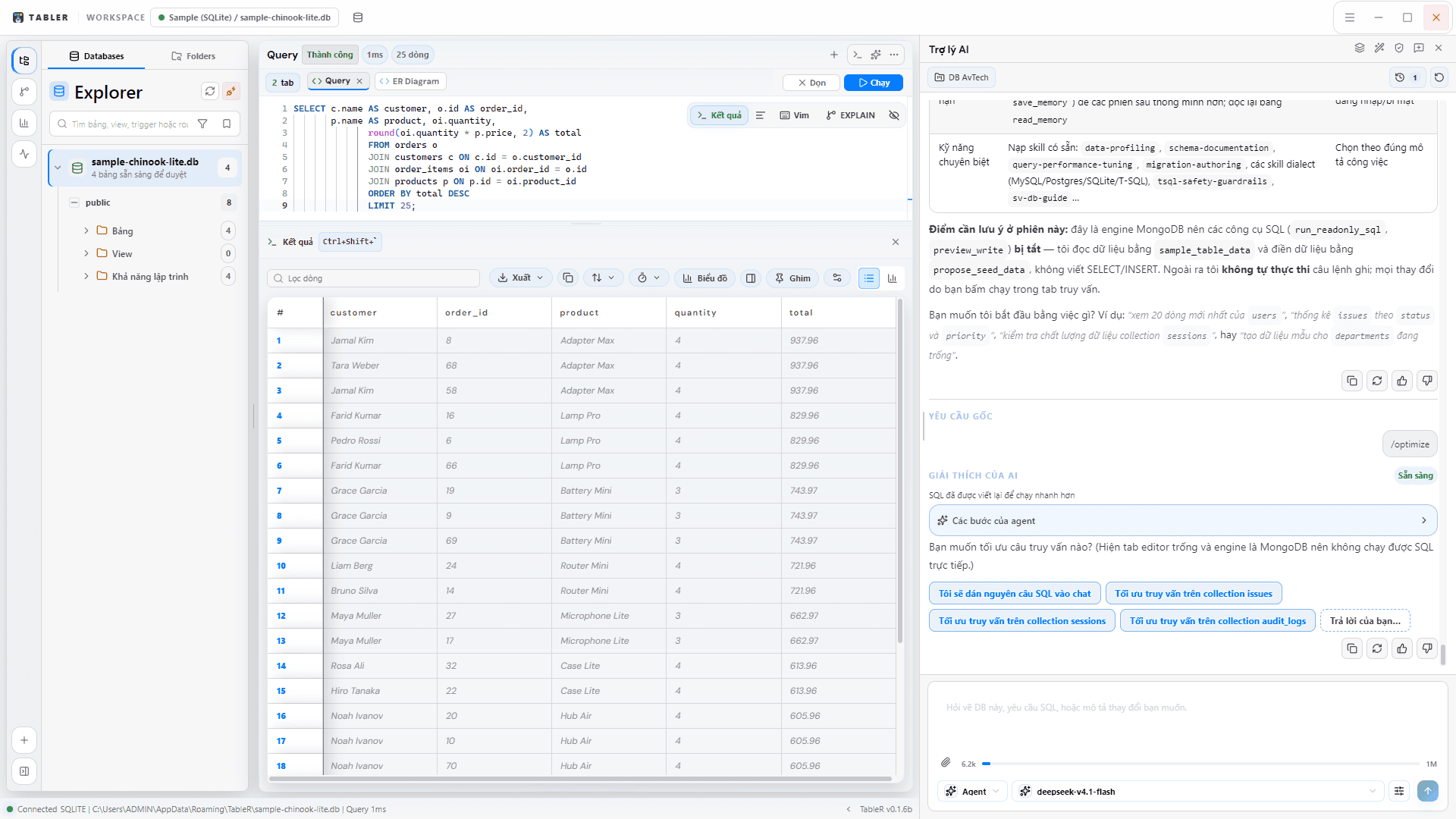
Three modes
Prompt
Ask questions with schema context, generate SQL from plain language, and explain existing queries.
Edit
Refine and rewrite SQL with the assistant working directly on the statement in your editor.
Agent
Hand off a goal: the agent inspects the schema, reads data safely, and drafts an answer or report across multiple steps.
Toggle the AI panel with Ctrl + Space. It reads the active connection's schema for context, and you can attach images or text files to a message.
Autonomy: when the agent runs SQL
Autonomy controls whether the agent pauses for a per-statement dialog before it executes. It is separate from Safe Mode: autonomy decides when to ask, Safe Mode decides what is even allowed.
| Autonomy | Behavior |
|---|---|
| Review | Always shows the review dialog. Nothing runs until you approve it — the most cautious setting. |
| Smart | Auto-runs safe reads and pauses to confirm every write or high-risk statement. |
| Full | Standing approval: reads and writes run without a per-statement dialog — but only while Safe Mode is at levels 1–3. |
The standing grant of Full only applies at Safe Mode levels 1–3. At Strict or Paranoid (4–5), the agent still stops for confirmation, and blocked statements stay blocked.
Safe Mode governs every statement
Whether SQL comes from you or the agent, it passes through the same six-level Safe Mode. Human approval can relax the write/DDL block at levels 1–3, but the destructive family — DROP, TRUNCATE, CREATE TABLE — stays hard-blocked at levels 4–5 with no override.
| Level | Label | Effect |
|---|---|---|
| 0 | Disabled | Statement-kind guard off (the capability guard still runs). |
| 1 | Read Only | Only SELECT / SHOW / EXPLAIN / WITH; all writes blocked. |
| 2 | Low Risk | SELECT and INSERT only; UPDATE / DELETE blocked. |
| 3 | Standard | INSERT / UPDATE / DELETE need confirmation; DROP / TRUNCATE / most ALTER / CREATE TABLE blocked. |
| 4 | Strict | Confirmation for all writes; DROP / TRUNCATE / CREATE TABLE hard-blocked. |
| 5 | Paranoid | Confirmation for SELECT and every write, with a preview and estimated affected rows. |
The always-on capability guard
Before Safe Mode even classifies a statement, a fail-closed capability guard runs first and cannot be bypassed — not even at level 0. It blocks SQL that reaches outside the database into the filesystem, network, or OS.
- Filesystem and program access such as pg_read_file, pg_ls_dir, lo_import/lo_export, MySQL LOAD_FILE / INTO OUTFILE / LOAD DATA INFILE, DuckDB read_csv/read_parquet/glob, Postgres COPY … TO/FROM PROGRAM, and MSSQL xp_cmdshell/openrowset.
- Session and access control such as USE, ATTACH, SET search_path, transactions, and GRANT/REVOKE.
- One statement per item, so a benign query cannot smuggle a second one.
A fast frontend check is advisory only; the authoritative guard is a SQL parser in the Rust backend, which also catches mutating CTEs a simple pattern match would miss.
Review before run
For writes, TableR previews the effect before you commit. Write previews execute inside a transaction and always roll back, so you can read the affected rows first and then apply the final SQL yourself.
The assistant drafts SQL and shows a preview; you decide what actually runs against your data.
Grounded and observable
- Shows its work: every step lands in a live trace you can expand, and runs are recorded so you can replay them.
- Uses your schema: answers are built from verified schema rather than guessed column names.
- Learns your business: verified metric definitions and aliases are remembered per database.
- Cites its sources: answers link back to the rows they came from so you can navigate to the evidence.
Providers and failover
Configure your own AI providers in settings. If a provider rate-limits or drops mid-task, the agent fails over to the next provider you configured, so a long-running job does not die on a single hiccup.
The rest of TableR runs locally. AI features need a configured provider and network access; your credentials and data still stay on your machine.